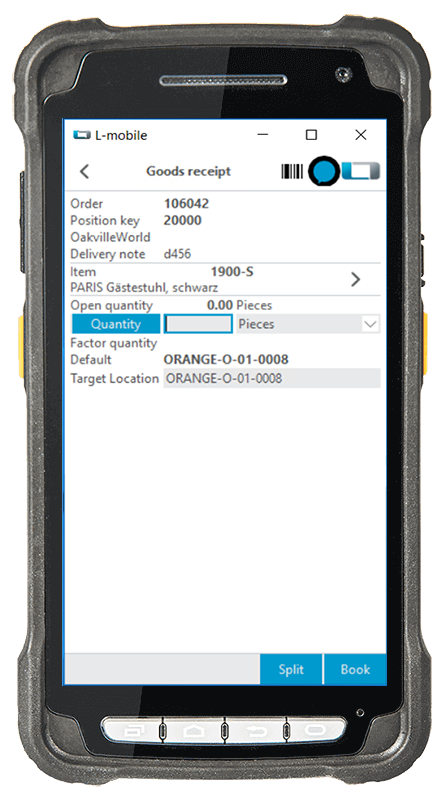
The mobile “Split” function in the mobile data collection solution for MS Dynamics NAV (Navision) and Microsoft Dynamics 365 Business Central allows you to split the items in goods receipt that need to be stored into multiple stock records. Partial quantities and batches can thus be split up right there on the spot without additional recalculation.There is no need for interim posting when splitting in Microsoft Dynamics NAV (Navision) and Business Central, nor is it necessary to make individual postings for partial quantities or batches.
The “Split” function for Microsoft Dynamics NAV and Business Central can be used in the MS Dynamics “Warehouse Receipt” and MS Dynamics “Production Put” function modules of the L-mobile warehouse management software. The item division is carried out by means of a “Split” function that prepares the posting of individual stock records based on partial quantity and number input. A variety of modes are available in Navision and Business Central for fast entry of information, and make it possible to automatically split multiple stock records into one warehouse receipt posting or production report.